ClickEye
เห็นภาพ แล้วแตะให้เองIt sees the button. It taps it.
ครอปปุ่มในเกมหรือแอปที่อยากให้กด ClickEye จะคอยมองหาบนหน้าจอ แล้วแตะให้ทันทีที่เจอ ไม่ต้องรูทเครื่อง ไม่ต้องจำพิกัด Crop the button you want pressed. ClickEye watches the screen and taps it the moment it appears — no root, no fixed coordinates.
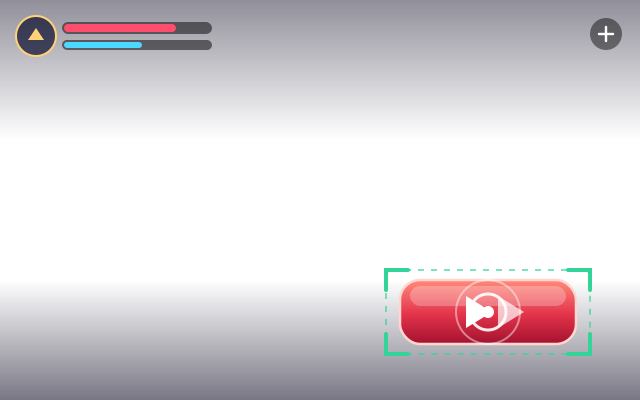 เจอเป้าหมายTarget found
100%99%
เจอเป้าหมายTarget found
100%99%
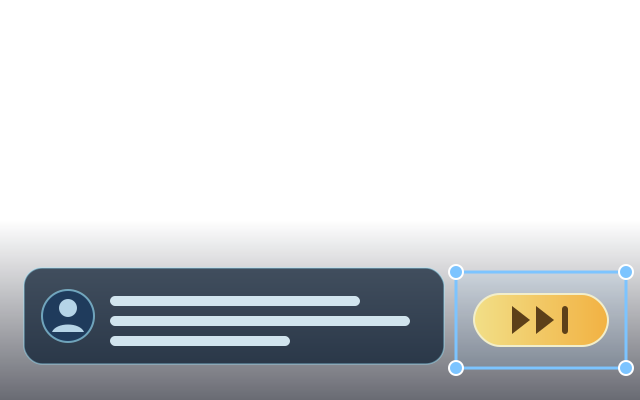
ทุกอย่างที่ต้องใช้ ในปุ่มลอยปุ่มเดียวEverything in one floating button
ครอป ค้นหา ทดสอบ และแตะ ทำได้จากปุ่มลอยบนเกมโดยไม่ต้องสลับแอปCrop, search, test and tap — all from a button floating over your game.
ครอปจากหน้าจอจริงCrop from the screen
ลากกรอบรอบปุ่ม ย้าย ขยาย ปรับขอบได้Box the button, then move or resize it
กำหนดบริเวณค้นหาSearch area
ค้นเฉพาะส่วนที่ปุ่มขึ้น เร็วและไม่กดผิดLook only where it appears — faster, no misses
หลายมาโคร ผูกกับเกมMacros per game
ออกจากเกมแล้วพักเอง เปิดเกมไหนสลับให้Pauses when you leave, switches per game
ทดสอบก่อนใช้จริงTest mode
ดูว่าเจอตรงไหน คะแนนเท่าไหร่ โดยยังไม่แตะSee the match and score without tapping
แชร์มาโครShare macros
ส่งออกไฟล์ .clickeye พร้อมรูปไปเครื่องอื่นExport a .clickeye file with its images
ตัดพื้นหลังRemove background
ให้เทียบเฉพาะตัวปุ่ม แม่นแม้พื้นหลังขยับMatch the button only, even on busy screens
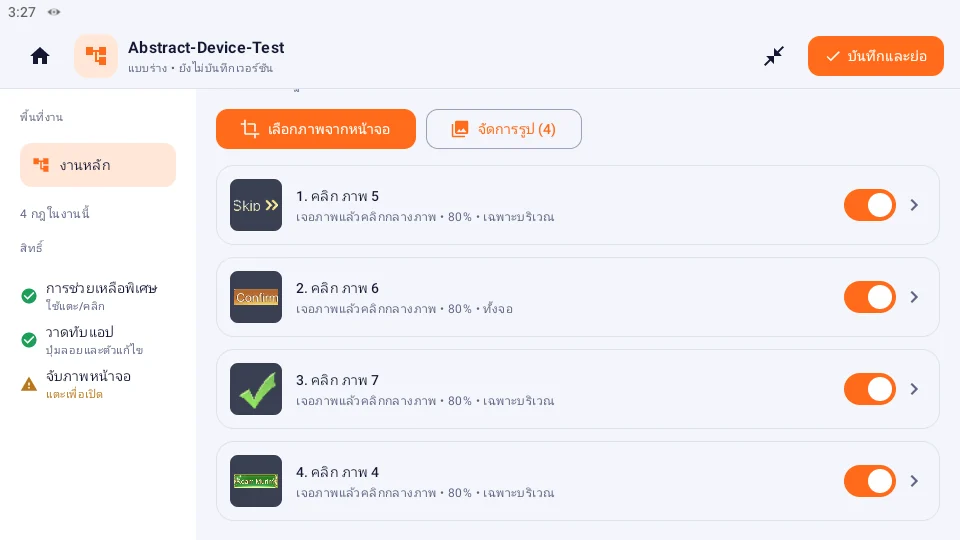
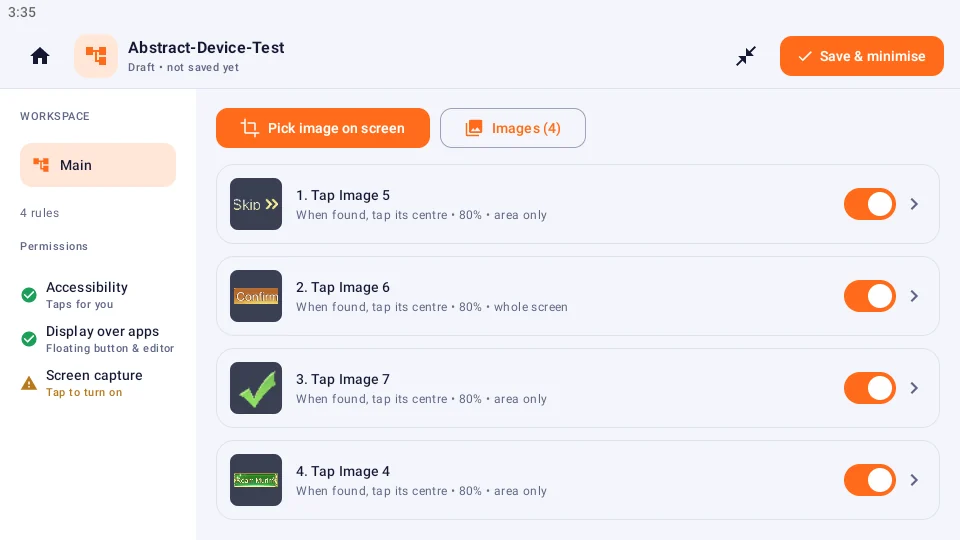
ตัวอย่างหน้าจอแอปA look inside
ภาพจริงจากแอป ใช้ง่าย อ่านเข้าใจได้ทันทีReal screens from the app — simple and clear.
เริ่มใช้งานได้ใน 3 ขั้นตอนUp and running in 3 steps
ไม่กี่ขั้นตอน ก็ให้ ClickEye แตะแทนคุณได้A few steps and ClickEye taps for you.
เปิดสิทธิ์Allow permissions
การช่วยเหลือพิเศษ แสดงทับแอปอื่น และจับภาพหน้าจอAccessibility, display over apps and screen capture
ครอปปุ่มCrop the button
ลากกรอบรอบปุ่มที่ต้องการจากหน้าจอจริงBox the button on the live screen
เริ่มใช้งานStart
กดเริ่มที่ปุ่มลอย แล้ว ClickEye ทำงานให้อัตโนมัติTap Start on the floating button and let it run
ข่าวสารและอัปเดตNews and updates
ติดตามเวอร์ชันใหม่และข่าวสารจาก ClickEyeNew versions and news from ClickEye
คำถามที่พบบ่อยFrequently asked questions
คำตอบสำหรับคำถามยอดนิยมเกี่ยวกับ ClickEye ไม่เจอคำตอบ? ถามเราได้เลยAnswers to common questions. Can't find yours? Ask us.
ClickEye คืออะไร?What is ClickEye?
แอปแตะอัตโนมัติที่ใช้การมองภาพ คุณครอปปุ่มที่อยากให้กด แอปจะคอยหาปุ่มนั้นบนหน้าจอแล้วแตะให้ทันทีที่เจอAn auto clicker that works by sight: crop the button you want pressed and it finds and taps it whenever it appears.
ต้องรูทเครื่องไหม?Do I need root?
ไม่ต้อง ใช้ได้บน Android 10 ขึ้นไป รวมถึงโปรแกรมจำลอง Android บนคอมพิวเตอร์ เช่น BlueStacksNo. Android 10 or newer, including emulators such as BlueStacks.
ใช้กับเกมอะไรได้บ้าง?Which games does it work with?
ใช้ได้กับแอปและเกมที่ไม่บล็อกการจับภาพหน้าจอ แต่บางเกมห้ามใช้โปรแกรมช่วยกดในข้อกำหนดของเกม กรุณาตรวจสอบกฎของเกมก่อนใช้ ความรับผิดชอบเป็นของผู้ใช้Apps and games that allow screen capture. Some games forbid auto clickers in their terms — check first; using it is your responsibility.
ใช้แล้วปลอดภัยไหม ภาพหน้าจอถูกส่งไปไหน?Is it safe? Is my screen uploaded?
ภาพหน้าจอใช้ค้นหาในเครื่องเท่านั้น ไม่ถูกบันทึกหรือส่งออก ข้อมูลที่ส่งขึ้นระบบมีแค่บัญชีสมาชิกและสถิติการใช้งานพื้นฐาน อ่านเพิ่มได้ที่นโยบายความเป็นส่วนตัวFrames are searched on the device and never stored or sent. Only your account and basic usage stats reach our servers — see the privacy policy.
ทำไมต้องใช้บริการการช่วยเหลือพิเศษ?Why does it need Accessibility?
Android อนุญาตให้แอปแตะหน้าจอแทนผู้ใช้ผ่านบริการนี้เท่านั้น ClickEye ใช้เพื่อแตะตามมาโครที่คุณสั่ง และอ่านชื่อแอปที่เปิดอยู่เพื่อพักหรือสลับมาโครตามเกม ไม่อ่านข้อความหรือเนื้อหาบนจอAndroid only lets apps tap for you through it. ClickEye uses it to tap for the macros you start and to read which app is in front for game binding — never text or screen content.
พร้อมให้ ClickEye ช่วยคุณแล้วหรือยัง?Ready to let ClickEye help?
ดาวน์โหลดได้แล้ววันนี้บน Google PlayGet it on Google Play today
ดาวน์โหลดบน Google PlayGet it on Google Play